

01
Describe your song
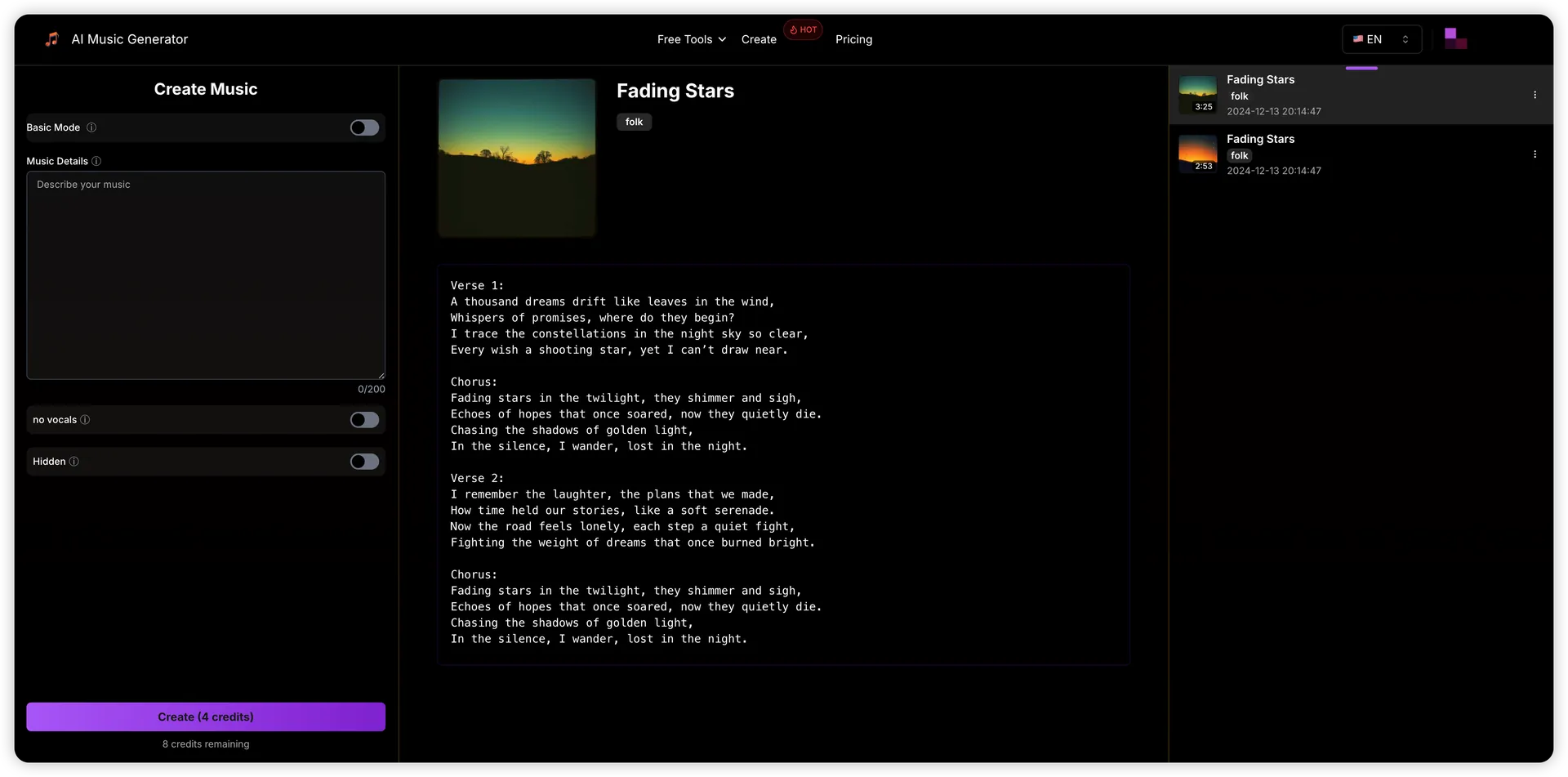
Write the genre, mood, instruments, and vocal style you want. For example: warm acoustic pop, gentle guitar, and a hopeful chorus.
Create original songs with AI
Use Text To Song AI to turn a text idea into a playable song draft. Describe a sound or add your own lyrics to create vocal demos and instrumental tracks before your next production session.
For songwriters, indie artists, podcasters, and content teams who need a fast first draft.
How It Works
Go from a written idea to an AI song in four steps. Start with a clear direction, then listen and refine instead of trying to fit every detail into your first prompt.
Create Music
01
Write the genre, mood, instruments, and vocal style you want. For example: warm acoustic pop, gentle guitar, and a hopeful chorus.
02
For supported models, paste your own words into the lyrics field. Turn on instrumental mode when you want music without vocals.
03
Sign in, check the selected model and credit cost, and generate your draft. Listen for the melody, phrasing, and arrangement you had in mind.
04
Adjust one detail at a time, such as the energy or instrumentation. Download the version you want to keep for your next editing step.
Prompts, vocals, and controls
Text To Song AI gives songwriters and content creators a way to try musical ideas before committing to a full recording. Choose the input that fits your starting point.
Describe a scene, a feeling, or a musical direction. Use a text prompt to explore a melody and arrangement without writing a score.
Bring your own verses and chorus. Add a separate style description to guide the musical setting; the result can vary with the selected model.
Switch off vocals for background music, podcast intros, or a backing track. Describe the instruments and energy you need.
Use concrete style notes such as mellow piano, upbeat drums, or a restrained vocal. Model settings let you adjust the options that are supported.
Replay your generated tracks in the workspace. Compare the vocal delivery and structure before deciding which idea to develop.
Keep an audio copy of the result and bring it into your editing workflow. Review the full track before using it in a project.
Browse music prompts
A useful prompt combines genre, mood, instruments, and a vocal direction. Start with one of these examples, adapt it to your idea, and adjust a single detail after listening.
Warm indie pop about starting over, gentle acoustic guitar, steady drums, intimate vocals, and an uplifting chorus.
Use the main prompt to describe the sound and theme. Make one change after listening, such as softer drums or a brighter chorus.
A reflective piano ballad with a slow pulse, sparse strings, and a clear, understated vocal. Keep the verses intimate and let the chorus open up.
Paste your lyrics into the lyrics field on a model that supports it. Keep the musical direction in the main prompt so the two inputs have distinct roles.
Mellow lo-fi instrumental with soft electric piano, a relaxed drum groove, warm bass, and no vocals; a calm mood for a study video.
Turn on instrumental mode as well as describing the sound. Listen for sections that suit your video, podcast, or other editing project.
Choose a monthly or yearly plan, or buy a one-time credit pack. Credits work across music, image, video, and AI Agent tools.
A low-commitment way to try AI music
$12.50/ month
$14.99$149.99 billed yearly
2,000 credits / month
Secure checkout · cancel renewal anytime
For regular song ideas, demos and background music
$33.33/ month
$39.99$399.99 billed yearly
8,000 credits / month
Secure checkout · cancel renewal anytime
For frequent releases, larger catalogs and client projects
$116.67/ month
$139.99$1,399.99 billed yearly
30,000 credits / month
Secure checkout · cancel renewal anytime
AI music generator FAQ
What to write, how to use your lyrics, and what to check before generating your first song.
Text to song AI turns a written description or supplied lyrics into generated music. Your prompt guides the style, mood, and arrangement; the model produces a playable draft rather than simply reading the text aloud.
Describe the genre, mood, instruments, and vocal direction in the generator above. Choose a model, sign in, and review the credit cost before generating. Listen to the result and refine the prompt if it needs a different direction.
Yes, with a model that supports lyrics input. Paste the words into the lyrics field and describe the musical style separately. Verse and chorus labels can make your intended structure clearer, although delivery varies between generations.
Yes. Choose a music model with instrumental support and enable instrumental mode. Add the instruments, mood, and use case to your prompt, such as a calm piano backing track for a podcast.
You can browse the public song examples without generating a track. Song generation requires an account and sufficient credits. Check the pricing section and the cost shown for your selected model before starting.
Give a few specific musical cues: genre, mood, instrumentation, and vocal style. Avoid contradictory directions. After listening, change one element at a time so you can tell which edit improved the result.
Completed tracks can be played and downloaded from the workspace. Listen to the full result before keeping it, and check the applicable terms before publishing or using it commercially.
No. A short description is enough to start exploring a song idea. Treat the output as a draft to review: pronunciation, structure, and arrangement may need another generation or further editing.
Start with a prompt or your own lyrics, generate a few directions, and keep the version worth building on.